

It’s a phrase we hear from time-to-time in our conversations with clients:
“The internet is terrible today!”
Before we sink into dramatics (i.e. unplugging the router and threatening to hotspot off our phones for all time), it’s worth asking a simple yet pointed question:
Is it the internet, or is it the WiFi?
The question itself might be surprising, as many of us use the terms WiFi and Internet interchangeably. While they work together to provide businesses with optimal connectivity, they are not the same thing.
Understanding the difference can save businesses time, frustration, and the classic office blame game. It can also help you make smarter decisions when comparing Internet services such Fibre vs NBN, upgrading your network, or improving your wireless coverage.
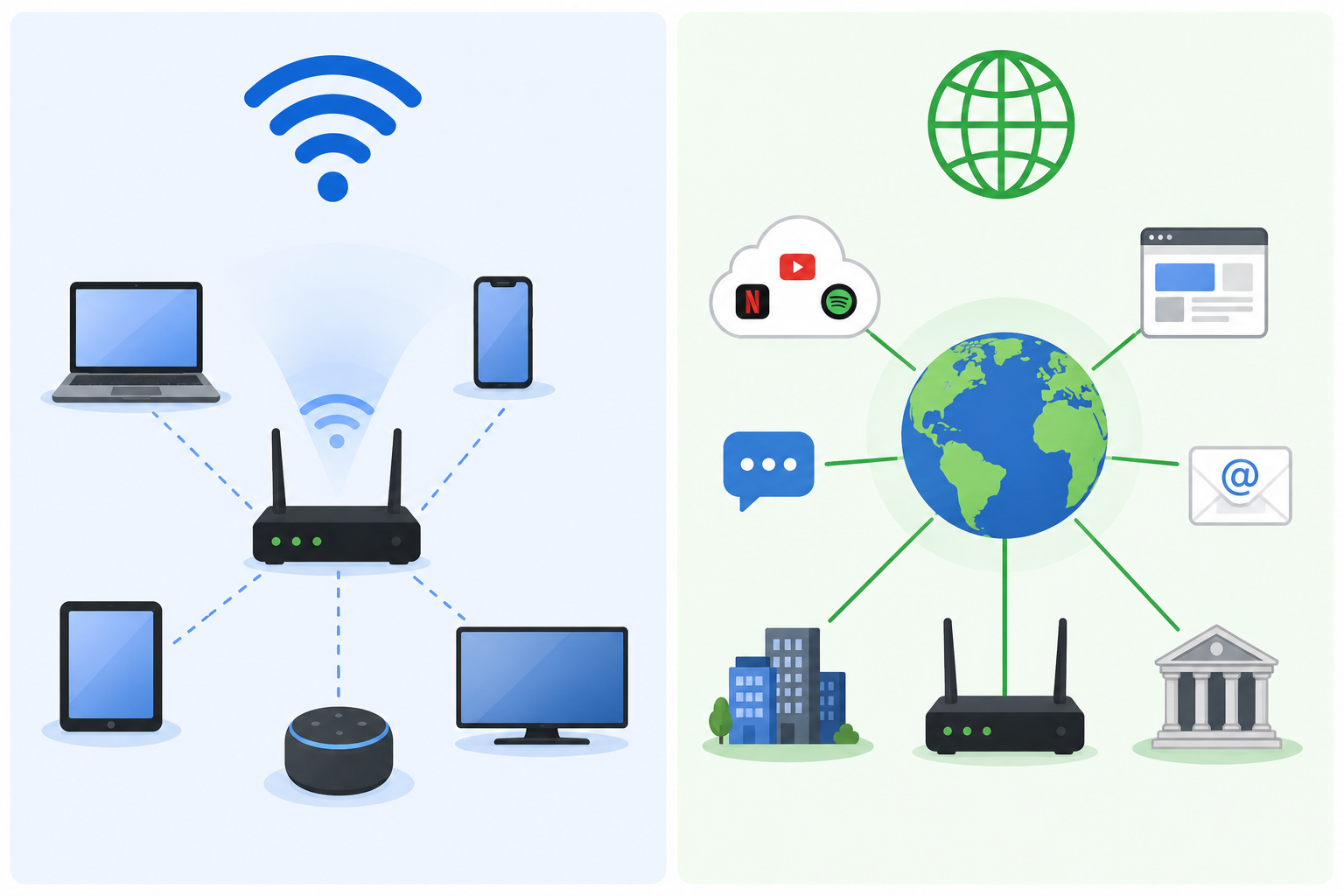
WiFi and Internet: They are two separate things
The easiest way to distinguish between the two is to remember:
- The Internet is the actual connection into your business from your provider
- The WiFi is the wireless method your devices use to connect to that internet connection
Your internet service will typically flow to your business over technologies such as the NBN or Fibre. That connection then terminates at a router or firewall device, which then distributes connectivity through your office network.
From there, devices connected with a physical cable (such as an Ethernet cable) use a hard-wired network connection. Similarly, phones, tablets and laptops often connect ‘through the air’ using WiFi access points.
If your connection is slow, the first thing to ask is ‘where is it slow?’
There’s a big difference between a poor wireless connection signal in a tucked away meeting room and an actual internet connection problem from a provider.
Mapping the typical office setup
Typically, office setups follow a pretty standard infrastructure. The provider sets up the connection (whether that be NBN or Fibre), the connection goes through to a router/firewall, it continues through the office network and finally is amplified through various WiFi access points and devices.
Business internet can come in numerous forms:
- NBN
- Fibre
- Fixed wireless
- 4G/5G backup redundancies
This is where the understanding around Fibre vs NBN becomes particularly important.
Fibre Internet vs NBN
NBN services are widely available throughout Australia and perfectly suit most small businesses. However, depending on the technology type and location, performance and reliability can vary widely.
In comparison, fibre services generally provide high reliability, lower latency and better performance for cloud applications and video conferencing.
NBN can and does still perform extremely well. However, as businesses move to rely more heavily on cloud services, VoIP business phone systems and hybrid work environments, a fibre connection may be more suitable.
No matter the connection, there’s still an underlying thing to understand: even the fastest fibre connection can feel ‘slow’ if the WiFi setup is poor.
Diagnosing the problem: is it the WiFi or the Internet?
If your staff are complaining about the slow internet, the first questions to ask are:
- Are you on a laptop, desktop or phone?
- Are you connected via the WiFi or a cable?
- Is the issue noticeable in one area, or everywhere in the office?
- Is anyone else experiencing the same thing?
Answering these questions will help to determine if the problem is actually something else, whether it be weak WiFi coverage, outdated hardware, overloaded access points or interference from walls or equipment.
Test before distress
Before you call up your provider to blast them about the poor internet connection, there’s a quick two-step process anyone can conduct.
Step 1: Check the WiFi performance on your mobile
Run a simple speed test and walk around the office. You might notice that some areas perform well while others slow down dramatically.
This points towards a WiFi coverage issue, rather than the internet connection itself.
Step 2: Compare against a wired device
Run the same speed test on a desktop or laptop connected directly to the network using a cable.
If the wired speed is considerably faster than the wireless speed, there’s a strong possibility the internet connection is fine. In this instance, it’s the WiFi network that needs improvement.
In the case that both are slower than expected, the issue may be related to the internet service, router performance, network congestion or some other undiagnosed external fault.
Improving the WiFi in your business environment
Businesses invest heavily in internet services while often overlooking the other part of the puzzle: the wireless network staff use everyday.
Poor WiFi connectivity can be exasperating, but it also has many other impacts. It can harm staff productivity, reduce phone and video quality, interrupt hybrid working experiences, and negatively impact customer relationships.
Thankfully, WiFi technology has improved dramatically. We have moved into the era of WiFi 7, while many devices already support WiFi 6.
These newer standards provide faster speeds, lower latency, improved performance in busy spaces, and better handling of multiple devices. Perhaps most importantly, modern WiFi hardware is backwards compatible. This means if you do choose to upgrade your hardware, your older devices will still connect perfectly fine.
At Comvergence, we specialise in helping businesses improve both sides of their connection equation. From business grade internet connectivity through to managed WiFi deployment with remote monitoring and management – we’ll make sure you’re covered. Contact us today to build the ideal business internet connection for your office space.